
MCP servers
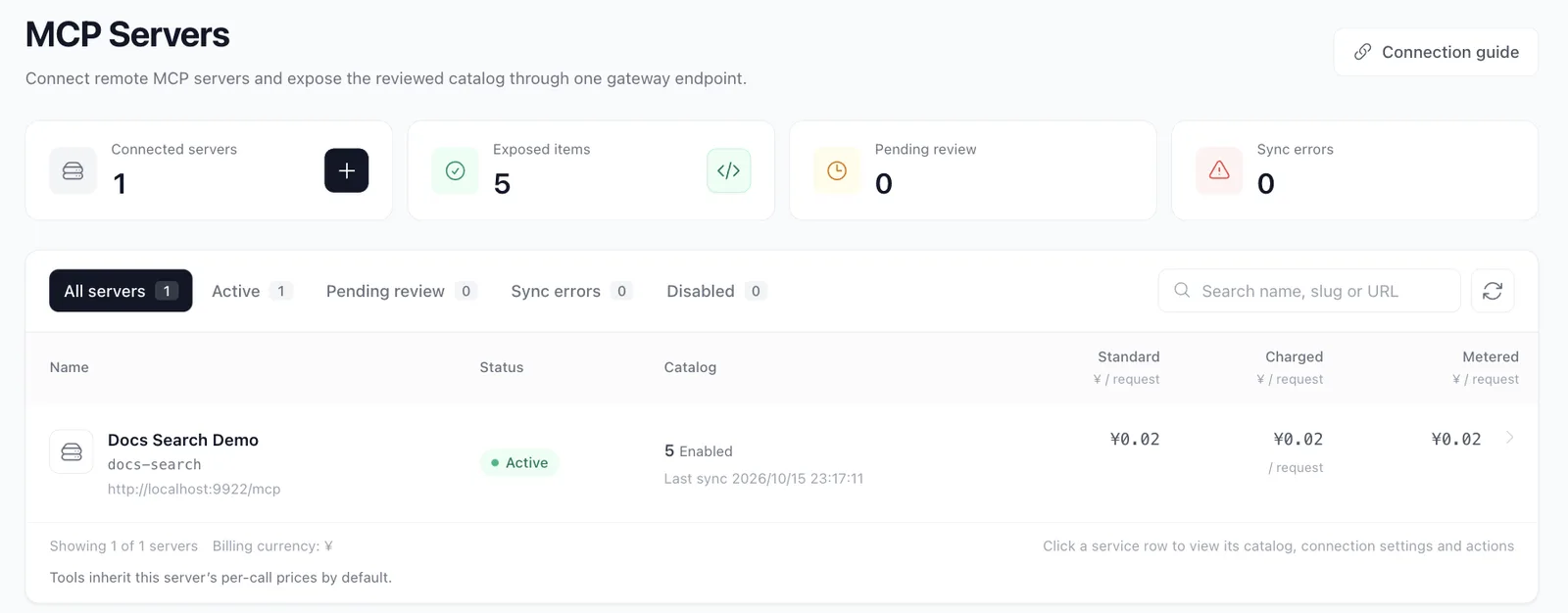
Use MCP Servers to connect remote Streamable HTTP services. Clients use /mcp for all enabled servers, or /mcp/server-slug for one server.
Connect, review and publish
Section titled “Connect, review and publish”- Create a server with a slug, remote URL and required static headers. Supported remote-client JSON can prefill these fields.
- Test connectivity and manually sync tools, prompts and resources.
- Review the catalog. New items start disabled; changes to a published definition need approval before clients see them.
- Configure the server’s default price, with optional per-tool overrides.
- Enable the intended items, then run the public catalog test to inspect the client’s view.
Connect clients
Section titled “Connect clients”Open Client access & authorization and pick a connection method: API Key access uses a gateway user API key, while OAuth 2.0 authorization lets the client sign in through the browser without a key. Then choose all servers or one server and copy the client configuration; the connection documentation is expanded below. The default Proxy address comes from the deployment (Admin’s GATEWAY_PROXY_URL) and can be overridden in the browser. A service’s details can open its connection method directly, and the server, view and scope are restored from the URL. For sign-in clients, complete the OAuth setup first.
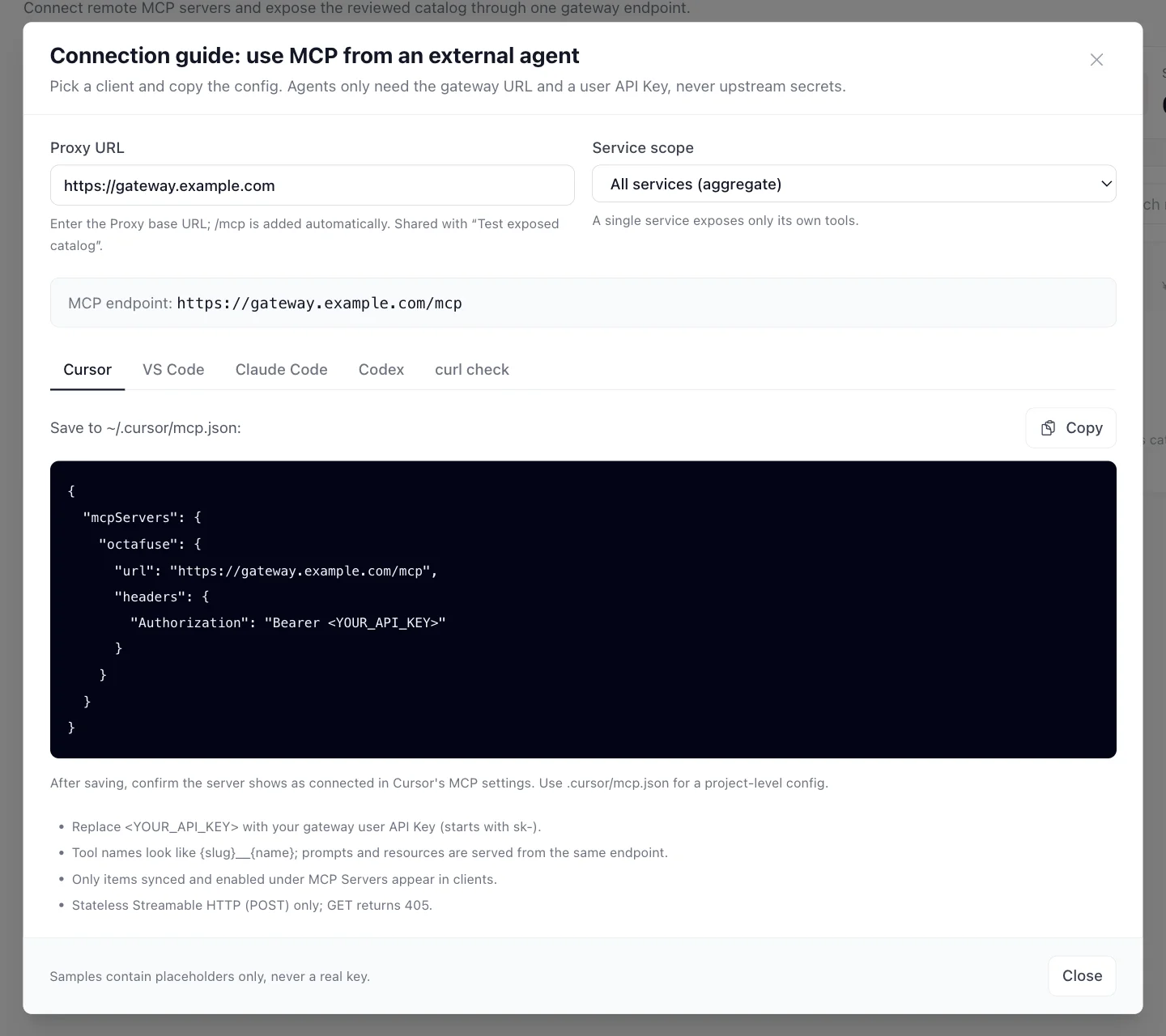
The public catalog test reads lists and protocol capabilities only. It does not execute a tool or validate its result. Test a real tool call from a client and check request logs afterward.
Pricing and observability
Section titled “Pricing and observability”MCP currently bills successful tools/call requests. Standard price is multiplied separately by the Charged and Metered factors. A zero Charged factor makes user calls free while retaining supplier cost. Prompt and resource reads are not billed. A tool override replaces the whole server-default price rule; model discounts do not apply.
Request logs identify MCP calls and OAuth applications. Missing valid tool results, tool errors and upstream failures are not charged.
Boundaries
Section titled “Boundaries”- No hosted local stdio processes or automatic conversion of built-in REST tools.
- Importing connection settings does not import upstream OAuth; use supported remote URLs and static upstream credentials.
- The public interface is stateless Streamable HTTP. Upstream-initiated sampling, elicitation and roots are unsupported.
- JSON-RPC batch arrays are rejected; send individual requests.
See the MCP architecture reference for lifecycle, naming and accounting.