
Audit logs
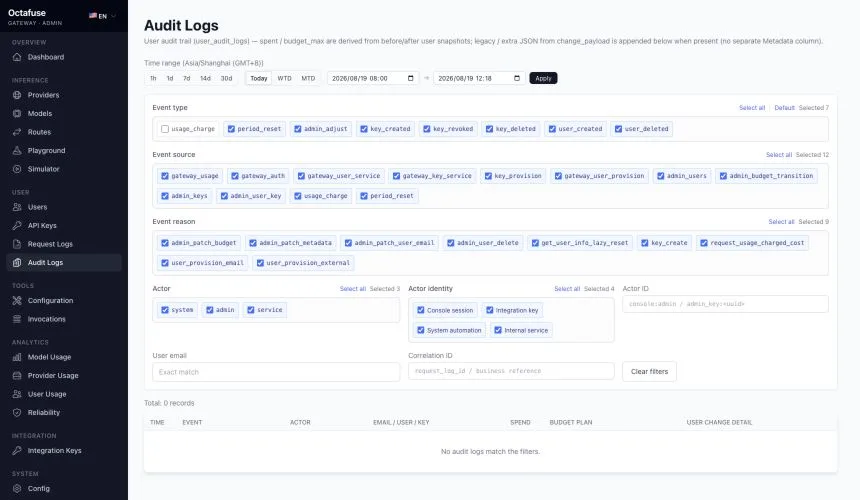
Open User → Audit Logs. Entries here focus on what changed for accounts and budgets: budget updates, spend deductions, user/key lifecycle events, and Admin edits to users or keys, often correlated to a key or request context.
This is not a full audit trail of every provider/route/settings click in Admin. For configuration change governance, use your change-management process or a separate ops audit trail.
What to do in Admin
Section titled “What to do in Admin”- Open Audit Logs.
- Start with a time window, then combine event type, source, reason, actor, and actor-identity filters. Use Actor ID, user email, or Correlation ID for an exact lookup.
- Expand rows for budget notes, user snapshot deltas, and change details (fields duplicated in the table may be hidden).
- For a single user, you can also open Users → user detail for related snippets.
Further reading
Section titled “Further reading”Deeper field and event definitions live in the upstream docs index: GitHub technical reference.