
Quick start
This page does one thing: run OctaFuse on the recommended Cloudflare path and open Admin. Individuals and light traffic can usually deploy and run within the Workers / D1 free tier.
For providers, routes, and keys, follow the User guide. Prefer not to use Cloudflare? See Docker deployment.
1. Run locally (local D1)
Section titled “1. Run locally (local D1)”Prerequisites
Section titled “Prerequisites”- Node.js 20+, npm.
- No Cloudflare account required.
Clone and start
Section titled “Clone and start”git clone https://github.com/OctaFuse/octafuse-gateway.gitcd octafuse-gatewaynpm installnpm run db:migratenpm run dev:proxyIn a second terminal:
npm run dev:admin| Service | URL / location |
|---|---|
| Proxy | http://127.0.0.1:8787 |
| Admin | http://127.0.0.1:8789 |
| Console login | admin / admin (local default; first dev:admin auto-creates packages/admin/.dev.vars) |
| Local D1 | ./.wrangler/state |
| Admin API Bearer | Create one under Integration Keys after signing in (management API, not the console password) |
Health check:
curl -sS http://127.0.0.1:8787/health2. Deploy to Cloudflare
Section titled “2. Deploy to Cloudflare”Requirements: a Cloudflare account and npx wrangler login.
npx wrangler loginnpm run bootstrap:cloudflareFollow the CLI for GATEWAY_URL / GATEWAY_MASTER_URL, then verify with GET $GATEWAY_URL/health. Full steps and releases: Cloudflare Workers deployment.
Sign in to Admin
Section titled “Sign in to Admin”- Locally open
http://127.0.0.1:8789(use your Admin URL after cloud deploy). - Local defaults:
admin/admin(local only; editpackages/admin/.dev.varsto change). After bootstrap, use theADMIN_PASSWORDyou set. Docker one-shot local defaults areadmin/changeme—see Docker deployment.
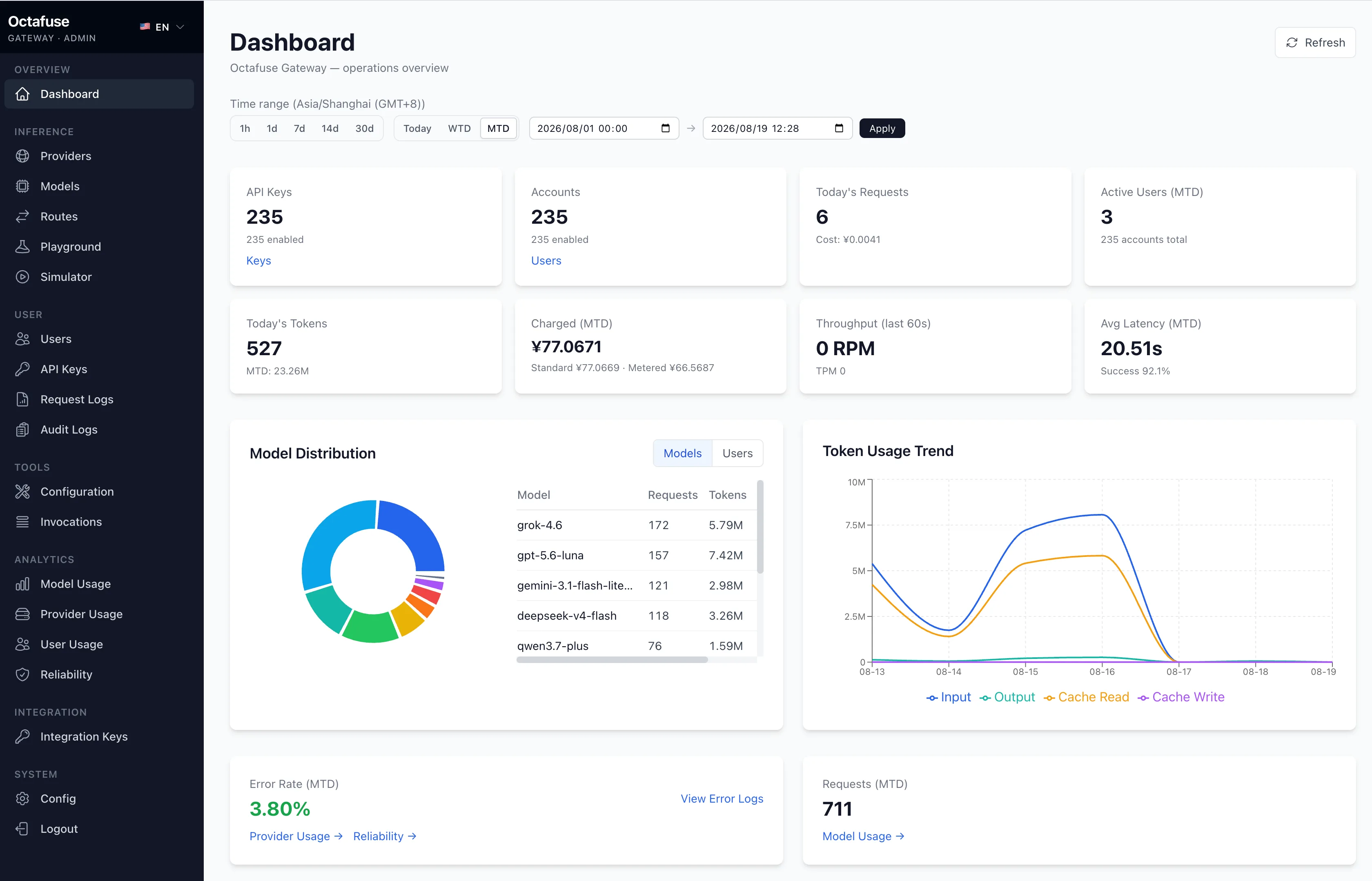
Recommended next steps (user guide order)
Section titled “Recommended next steps (user guide order)”- Providers — wire upstream vendors
- Models — catalog model ids the gateway understands
- Routing — map client model + operation to upstreams through Surface → Pool → Target
- Agent Tools (optional) — configure the Active engine for Search / Fetch / Deep Search
- Users and API keys — who can call and with what budget
Optional: one inference smoke test
Section titled “Optional: one inference smoke test”After Provider + Model + Request Surface / Route Pool / Upstream Target + API key exist in Admin, replace the key and model below:
curl -sS http://127.0.0.1:8787/v1/chat/completions \ -H "Authorization: Bearer sk-your-api-key" \ -H "Content-Type: application/json" \ -d '{"model":"your-route-model","messages":[{"role":"user","content":"Hello"}]}'After cloud deploy, use your Proxy URL as the host.
If the model has a Responses request surface, you can instead call /v1/responses with a Responses-style input body.
Not using Cloudflare?
Section titled “Not using Cloudflare?”Docker / Postgres / MySQL self-hosting: Docker deployment. More local stacks (Node + SQL, smoke tests): GitHub · local development.