
Users
Open User → Users. A user is the account entity in the gateway: it owns API keys, carries budget and billing period, and appears across operational views. You can set email, optional external identifiers, and budget-related fields.
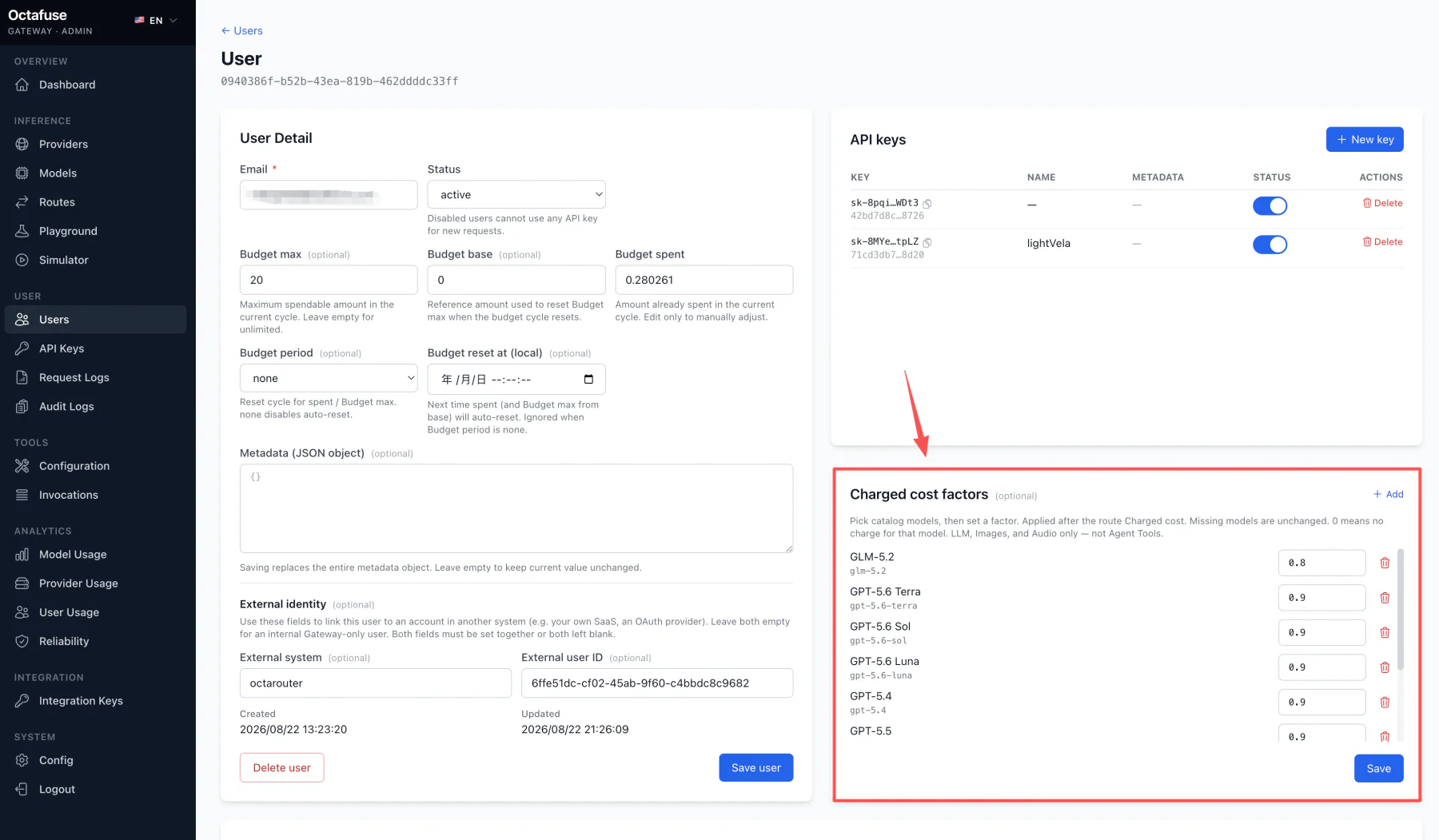
The user detail page shows the budget plan, related API keys, external identity, and per-model Charged cost factors.
What to do in Admin
Section titled “What to do in Admin”- On Users, filter by email, external identity, or status. Each row summarizes spent versus maximum budget, the next reset, active versus total keys, and model factors.
- Create a user: fill email, optional external system and user id, budget caps/base, billing period, optional metadata (usually JSON for your own labels), and per-model factors when needed.
- Review a user: open the detail view to check budget and keys; under Charged cost factors, select catalog models and enter their factors.
- Issue keys: create keys under API keys for this user, or use the external-identity path in the key wizard.
Per-model user discounts
Section titled “Per-model user discounts”The user factor is applied after the route’s user charge:
Final user charge = catalog standard price × route Charged factor (including schedule override) × user model factor
| Factor | Typical meaning |
|---|---|
1 | Keep the price calculated by the route |
0.8 | 20% discount |
0.5 | 50% discount |
0 | No charge for this model and user |
Models not listed remain unchanged. The factor changes only final user charge and budget usage, not catalog price or supplier cost. It applies to LLM, Images, and Audio, but not independently priced Agent Tools.
Automation can write charged_cost_factors through the Admin API as { "<model id>": factor }. Unknown model ids, negative values, and invalid objects are rejected; null or an empty object clears existing factors.
Portal integration
Section titled “Portal integration”After signup, your backend can call the Admin API to create users, set model discounts, and issue keys — see Integration and the GitHub technical reference.