
Simulator
Open Inference → Simulator. Simulator runs in your browser against the deployed Proxy: enter the Proxy base URL and a user sk-… key, choose Chat, Responses, Images, Audio, or another mode plus a model, and send — exercising auth, routing, budget, and request logs like a real client.
This differs from Playground, which focuses on Admin-assisted upstream probes for a single route.
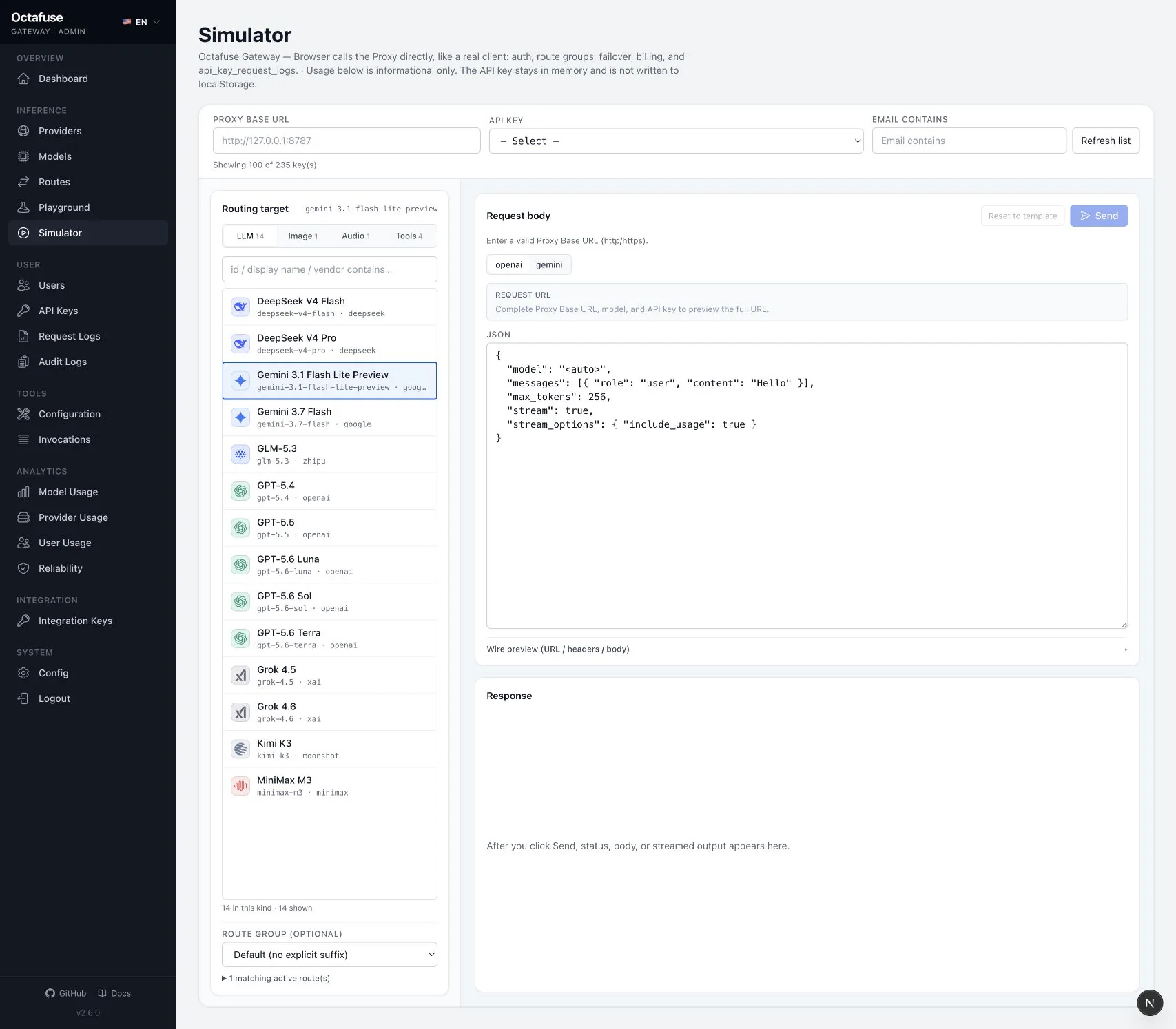
How to use it
Section titled “How to use it”- Open Simulator.
- Enter the Proxy base URL (same entry point you give apps, including
https://and port) and thesk-…key. - Choose Chat, Responses, Images, Audio, or another mode, a model id, and an optional route group (must match Routing). For image checks, use the Images / generations (or edits) entry — see Image generation / edit. For synchronous DashScope multimodal ASR, select its matching client request surface.
- Send, then confirm rows in Request logs (including
billing_kind/ image counts). - If results differ from Playground: check user budget, route group, and key status (revoked, etc.).
Simulator derives the request protocol and path from the selected client request surface, not from the final Upstream Target protocol. For example, if an OpenAI Audio surface routes through an explicit adapter to DashScope, Simulator still constructs the OpenAI-side client request. This keeps the test aligned with real client behavior.
For native synchronous DashScope multimodal ASR added in 2.7.0, first configure a dashscope + audio.transcriptions.multimodal request surface. Simulator then constructs /dashscope/api/v1/services/aigc/multimodal-generation/generation; after sending, use Request logs to verify upstream routing, audio duration, and final charge.
The page may remember your last base URL and options locally in the browser for faster iteration — clear when switching machines or shared profiles.