
Providers
In Admin, open Inference → Providers. A Provider represents one upstream account with protocol endpoints, one credential, and an enabled status. The credential is usually an API key; project-scoped Vertex AI can use a GCP service-account JSON. Cards show credential status, active route counts, and protocol capabilities, with filters for status and OpenAI, Anthropic, Gemini, or DashScope support.
What to do in Admin
Section titled “What to do in Admin”- In the sidebar under Inference, open Providers.
- Create or edit: set the display name, one upstream credential, status, and optional notes, then configure Base URLs or capability endpoints on each protocol tab. OpenAI Responses can use an explicit endpoint or derive
/v1/responsesfrom the OpenAI Base URL. - Multiple accounts: create one Provider per vendor account, then add multiple Upstream Targets to the same Route Pool. Configure priority, weight, and distribution strategy under Routing.
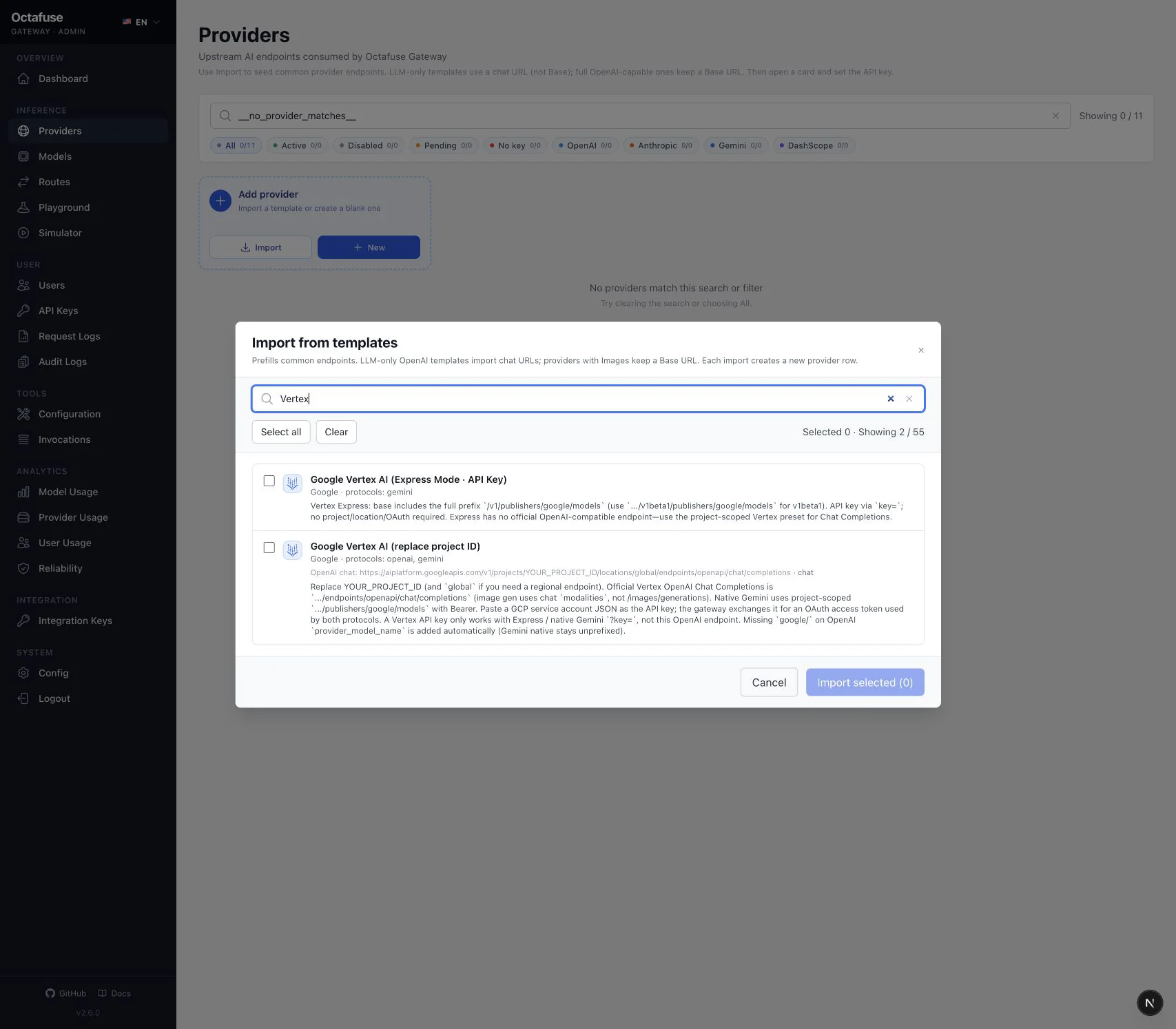
- Import from catalog: use the built-in catalog to pre-fill endpoints; you still need a valid upstream credential. The catalog includes project-scoped Vertex AI, BytePlus, Alibaba Cloud Model Studio International, Meta Model API, Cerebras, SambaNova, DeepInfra, Novita, Command Code, Hugging Face, Vercel, and more. For Responses or Images, confirm the matching capability appears on the card.
- After saving, go to Routing to bind models to this vendor and protocol; use Playground or Simulator to validate connectivity.
Gemini Generate Content
Section titled “Gemini Generate Content”For standard Gemini services, set the Base URL to the path immediately before {model}, for example https://generativelanguage.googleapis.com/v1beta/models. Gemini endpoint auth can be query-key (send ?key=) or bearer (send Authorization: Bearer); the default is query-key.
For a non-standard upstream, use one Advanced models.generate template such as https://example.com/v1beta/models/{model}:{action}; {action} resolves to generateContent or streamGenerateContent at runtime. Legacy per-action templates remain readable, but new configuration should use the unified template.
Project-scoped Vertex AI
Section titled “Project-scoped Vertex AI”After importing Google Vertex AI (replace project ID) from the Provider catalog:
- Replace
YOUR_PROJECT_IDin the endpoints with the real GCP project ID; changeglobaltoo if you need a regional endpoint. - Paste the complete GCP service-account JSON into the Provider credential field. Do not enter a Vertex API key or append the JSON to
?key=. - Gateway exchanges the credential for an OAuth 2.0 access token and uses Bearer auth for both the OpenAI-compatible and native Gemini endpoints.
- On the Vertex AI OpenAI-compatible endpoint, the route may use a bare Google model name; Gateway adds a missing
google/prefix. Native Gemini routes remain unprefixed.
Use Playground to validate IAM and endpoint configuration first, then Simulator for the real Proxy path.
- Wrong base URLs / endpoints often show up as 404/401 — double-check upstream docs.
- This screen does not include a one-click connectivity test; validate via routes + Playground / Simulator.
- When the upstream rotates a key, replace it here. Use multiple Providers and Route Targets for gradual cutover or backup accounts.
Automation
Section titled “Automation”For bulk changes from your backend, use the admin HTTP API — see the GitHub technical reference.